Page 1 of 2
Virtual Go by Glenn Fiedler
Posted: Sun Mar 31, 2013 10:32 am
by EdLee
Virtual Go by Glenn Fiedler
This guy is amazing.

I learned of Mr. Fiedler's website from a chat last night on Nova.gs, with Anoek, matburt, and others.
From his website:
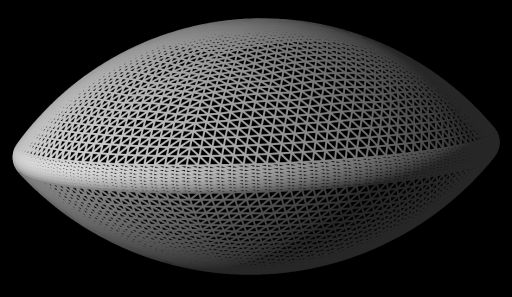
- x.jpg (32.73 KiB) Viewed 11767 times
Re: Virtual Go by Glenn Fiedler
Posted: Sun Mar 31, 2013 10:37 pm
by Mage
Wow !

Re: Virtual Go by Glenn Fiedler
Posted: Sun Mar 31, 2013 11:02 pm
by Bantari
I hate 'Me Too' posts, but... I second this motion!
One of the best things that I looked at in quite a while!
Thanks Ed for sharing that.
Re: Virtual Go by Glenn Fiedler
Posted: Mon Apr 29, 2013 11:51 pm
by Gaffer
Hi guys, I'm the author of Virtual Go.
I want everybody to know I've been hard at work on a version of Virtual Go for touchscreen devices.
So far I'm targeting iPad, but I'll also be targeting Android and Windows 8 PC with touchscreen (I like BIIIIIIG touchscreens for 19x19 games...)
Here is a screenshot of the latest build I just finished tonight, with dynamic shadows, nice board and floor texture:

Please view the fullsize image here, the image above is half the resolution of the retina display output:
http://gafferongames.com/wp-content/upl ... enshot.jpg
This is all realtime @ 60fps, with dynamic shadows, and physics simulation of the stone...
You can also drag and move the stone, flick it and spin it with the touch screen. It feels great!
Next I'm working on stone placement with two fingers to mimic placing a stone IRL, and picking up a stone after Evan Cho (Insei) tried it last week he kept trying to pick up the stone! So I feel I have to add a two finger swipe to pick up now
Please let me know what you think so far, and if you have an iPad or iPhone please purchase the beta when it hits the app store shortly, if you would like to support the project.
Thanks!
Re: Virtual Go by Glenn Fiedler
Posted: Tue Apr 30, 2013 1:21 am
by daal
The wood looks very realistic, but it doesn't look like the kind of wood that you would want your go board made of - more like plywood than kaya. Are other woods planned upgrade options?

Re: Virtual Go by Glenn Fiedler
Posted: Tue Apr 30, 2013 1:30 am
by Gaffer
Yeah it's the wrong wood! It's just a stock texture for now, but eventually I'll be renting a high quality camera and sampling some real Kaya board textures.
Only tricky part is, you cannot capture a go board with lines on it -- because the camera will always have some distortion the lines aren't perfectly straight in game, so I render the lines myself.
So I'm left hunting for a go board that doesn't have lines on it yet, or taking pictures of the bottom side of go boards

Re: Virtual Go by Glenn Fiedler
Posted: Tue Apr 30, 2013 6:20 am
by Inkwolf
The amount of physics, work and calculation, that goes into something as apparently simple as animating a single object dropping, boggles the mind.
Re: Virtual Go by Glenn Fiedler
Posted: Tue Apr 30, 2013 11:17 am
by Gaffer
Hi guys, is there anybody here who wants to help me beta test Virtual Go?
If have an iPad 2,3 or 4 go here and sign up:
http://tflig.ht/Zy3J8Y
I'll have a build ready for you guys to play with later today
Posted: Tue Apr 30, 2013 4:53 pm
by EdLee
Inkwolf wrote:...as apparently simple as...
Yes, Inkwolf,
apparently is the key word. Go also looks
apparently simple in the beginning.
And Mr. Fiedler is not even simulating any quantum mechanical effects! (Or is he...?
)
Re: Virtual Go by Glenn Fiedler
Posted: Tue Apr 30, 2013 6:39 pm
by ez4u
Gaffer wrote:Hi guys, is there anybody here who wants to help me beta test Virtual Go?
If have an iPad 2,3 or 4 go here and sign up:
http://tflig.ht/Zy3J8Y
I'll have a build ready for you guys to play with later today
Ready when you are!

Re: Virtual Go by Glenn Fiedler
Posted: Tue Apr 30, 2013 11:19 pm
by Gaffer
ez4u wrote:Ready when you are!
Unfortunately there is a delay with iOS provisioning profile setup, I'll see what I can do but might not be able to get a build out tonight
Re: Virtual Go by Glenn Fiedler
Posted: Tue Apr 30, 2013 11:56 pm
by Gaffer
Actually I think I just got it working.
If you signed up you should now be able to go to the Testflight app on your iPad and install the build.
In the demo there are many different ways to interact with the go stone. See if you can discover them all
Re: Virtual Go by Glenn Fiedler
Posted: Wed May 01, 2013 9:05 am
by Gaffer
Hi everybody, here are all the different ways to interact with the stone:
Posted: Thu May 02, 2013 4:31 am
by EdLee
Gaffer wrote:Hi everybody, here are all the different ways to interact with the stone:
Hi Glenn/Gaffer, Amazing work. A (big) feature request: for the folks without an iPad (yet, like me), would you consider
porting to Windows or the Mac OS ? Thanks. (I understand if this is too much work.
)
(...Like Angry Birds? Did it first come out on iOS, then later was ported to Windows and OS X?)
Re: Virtual Go by Glenn Fiedler
Posted: Thu May 02, 2013 10:45 am
by lobotommy
Gaffer wrote:Hi guys, is there anybody here who wants to help me beta test Virtual Go?
If have an iPad 2,3 or 4 go here and sign up:
http://tflig.ht/Zy3J8Y
I'll have a build ready for you guys to play with later today
I'm ready for duty!
