fwiffo wrote:Here's the one I use:
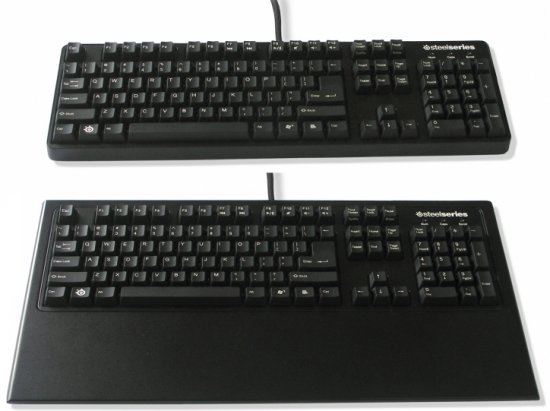
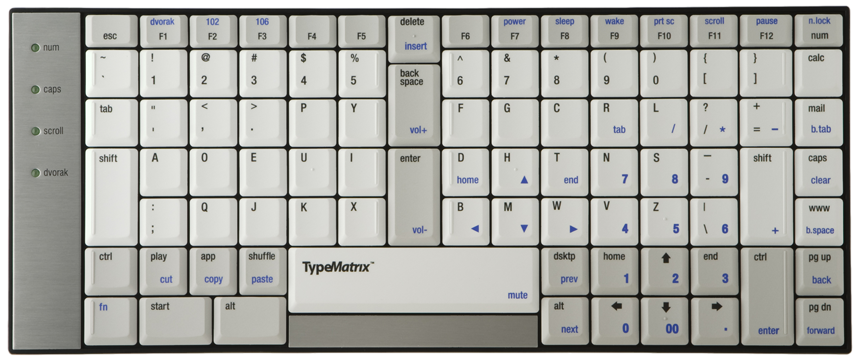
(awesome keyboard with mechanical switches pictured)
Note that I've made some modifications. Caps Lock is a completely useless key in a prime location, so I've remapped it as an extra Left Control key (though I'm thinking that it might be sweet to have a spare backspace key there). A lot of Unix keyboards (and HHKB) have Control there. I've also remapped the tilde/grave key to be Escape, because I use vim, and escape should be easy to reach without going too far. Because I still need to use tilde/grave, I've remapped Scroll Lock to tilde/grave, since Scroll Lock is really never used for anything ever.
Ok, so I've wanted a(nother) mechanical keyboard since I realized I couldn't use the Model-K (I think) that came with my IBM XT anymore as computers were switching to these newfangled "PS/2" connectors.
But every one of these has *almost* but not quite exactly the features I want.
The new Model-M can come with Ctrl and Caps Lock switched from the factory (also Esc and tilde) which is awesome. But they only do that if you get the PS/2 version, not USB! How does the connector dictate the circuit layout? *grumble grumble* ok, next.
The HHKB has dipswitches to change the Ctrl and Caps layout... but the keys aren't the same size, so you can't relocate them. If I wanted to do that what do I need dipswitches for? It's an easy config change in your operating system!
Basically I want a "Linux" version Model-M with a USB connector. My current motherboard is probably the last one I'll ever have with PS/2, and I'd rather not spend near $100 on another keyboard that I can remember with nostalgia because I can't use it anymore!
Does anyone know where I can find such a beast? Bonus points if it's printed like the keyboards from ZaReason and has Tux (or even the BSD devil... or heck, anything else really) on the Super key instead of the Windows logo.
EDIT: oh, oh! The HHKB2 has Control in the right place and is printed that way! Almost four times as expensive as a Model-M, and also doesn't have a keypad (which I prefer to the 4 arrow keys)... Grrr... still not exactly what I want, but close enough to make me mad that I can't find it.
Ok, ten-key is a needed feature. I like separate keypads but don't have enough deskspace right now, so I need one built in to the keyboard. Sub-$100 is also a feature, but sub-$150 is pretty much a necessity.

 .
.