The preferred method is to refer to the SGF file by URL. For example, you can link to a game from the KGS archives.
Code: Select all
[sgf]http://files.gokgs.com/games/2009/3/26/muchen1999-TheCaptain.sgf[/sgf]You can do the same for SGF files that you attach to your post (see below for detailed instructions). For example:
Code: Select all
[sgf-full]https://lifein19x19.com/forum/download/file.php?id=167[/sgf-full]Here's an example using the problem mode:
Code: Select all
[sgf-problem]https://lifein19x19.com/forum/download/file.php?id=168[/sgf-problem]You can also paste the SGF data inline, though you may run into size limits with SGF files larger than a few kilobytes. You can use inline SGF data or URLs with all three embedding modes.
Code: Select all
[sgf-problem]
(;GM[1]FF[4]CA[UTF‑8]AP[CGoban:3]ST[2]
RU[Japanese]SZ[19]KM[0.00]
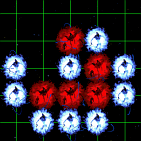
PW[White]PB[Black]AW[ba][da][fb][cc][dc][ec][fc][ad][bd][ce]
AB[aa][ea][ab][cb][db][eb]C[Black to live.]
(;B[bb]LB[ca:A]C[Correct. Black is alive (white can't play at A).])
(;B[ca]
;W[bb]
(;B[bc]
;W[bb]
(;B[ba]
;W[ac]LB[bb:A]C[Wrong. A is a false eye.])
(;B[ac]
;W[ba]C[Wrong.]))
(;B[ac]
;W[bc]C[Wrong.]))
(;B[bc]
;W[bb]
;B[ca]
;W[bb]
(;B[ba]
;W[ac]LB[bb:A]C[Wrong. A is a false eye.])
(;B[ac]
;W[ba]C[Wrong.])))[/sgf-problem]
Detailed steps for adding SGF files as attachments:
Find the "Upload Attachment" section on the post screen. Click "Browse" to select your SGF file, then click "Add the file" to upload the SGF file as an attachment to your message.
- step1.png (11.14 KiB) Viewed 4339078 times
- step2.png (27.17 KiB) Viewed 4339078 times
- step3.png (26.29 KiB) Viewed 4339078 times
- step4.png (36.56 KiB) Viewed 4339078 times
- step5.png (41.04 KiB) Viewed 4339078 times
- step6.png (10.54 KiB) Viewed 4339078 times